Save session
Keep a listening session as a playlist.
- Who
- Listeners who start a song, let recommendations run while busy, and later want to keep what played.
- What
- A labeled Save session action that turns the session so far into one editable playlist.
- Where
- Mobile Now Playing, while recommended tracks are playing.
- Why
- Today each song has to be saved one at a time, so a good session is usually lost.
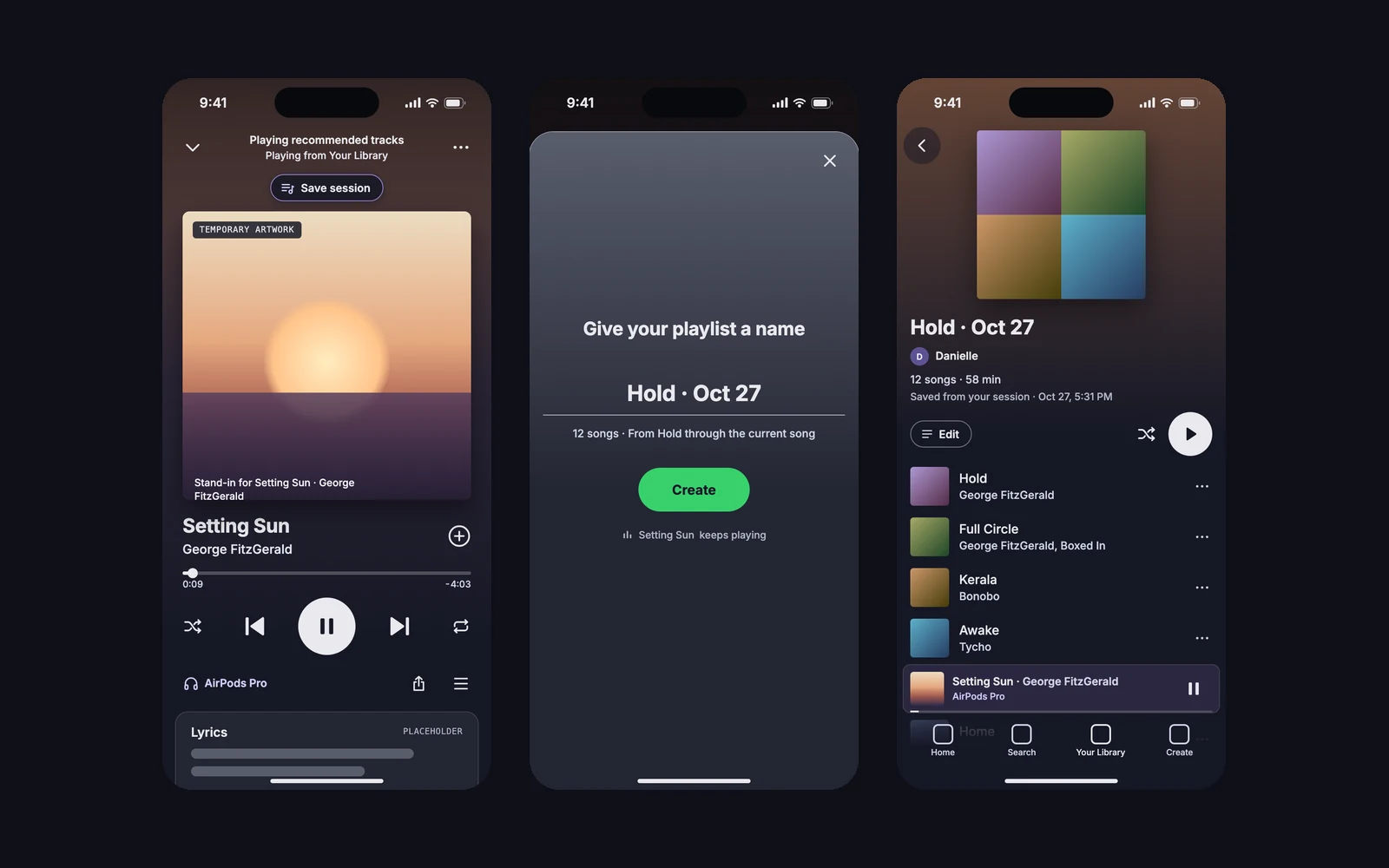
Save session lets a listener keep a run of recommended songs as one editable playlist, without stopping playback.
An independent portfolio concept by Danielle for the Spotify mobile Now Playing screen. Not affiliated with or endorsed by Spotify.
01Problem
The problem
A listener picks a starting song, Hold, and lets recommendations continue. Twelve songs later they want to keep the whole run.
The current app offers a single-song save on Now Playing and a queue that shows only future tracks, so there is no direct way to save what already played.
02Proposal
The proposed experience
A labeled Save session action on Now Playing, separate from the single-song save. One tap takes a snapshot of the starting song, every song played since and the current song, in listening order, and saves it as one playlist. Upcoming songs are left out, and playback never stops.
03Final UI and flow
Discover, save, keep
Discover. Recommendations keep playing after the starting song, and Save session sits under the header on Now Playing.
Save session. The naming sheet opens with the keyboard closed, so Create is one tap. The default name, Hold · Oct 27, can be changed.
Editable playlist. A toast confirms and the button reads Session saved. The playlist holds all 12 songs in listening order while the current song keeps playing.
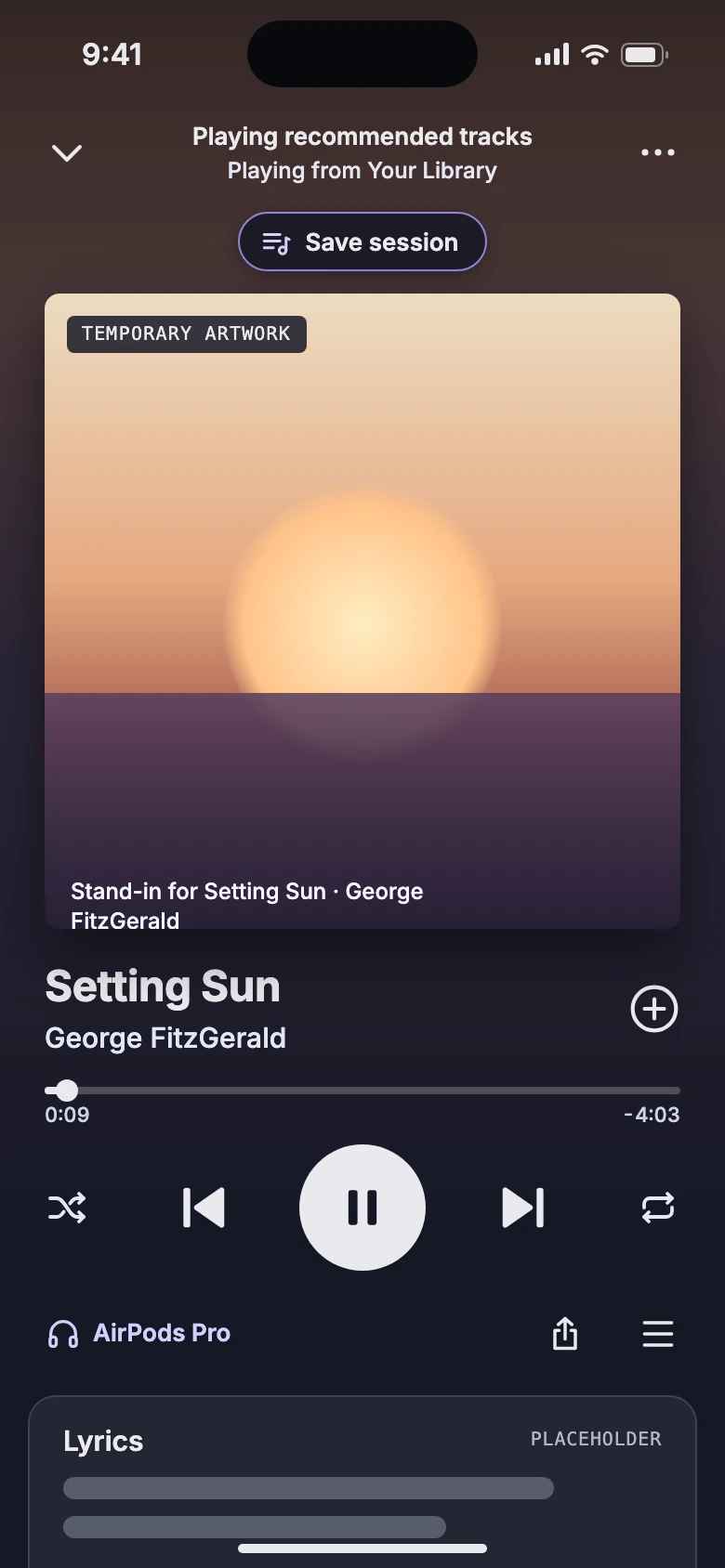
1 · Now Playing
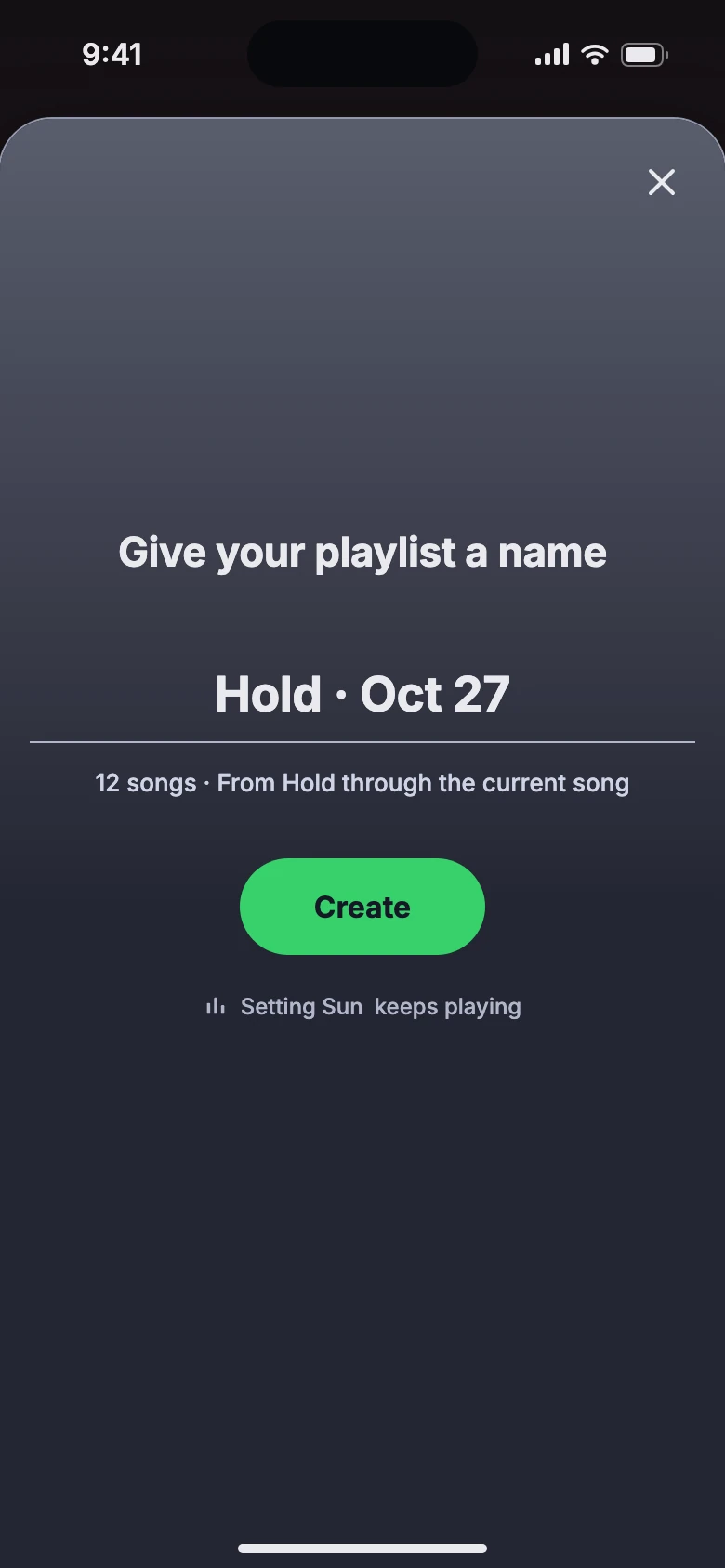
2 · Name it
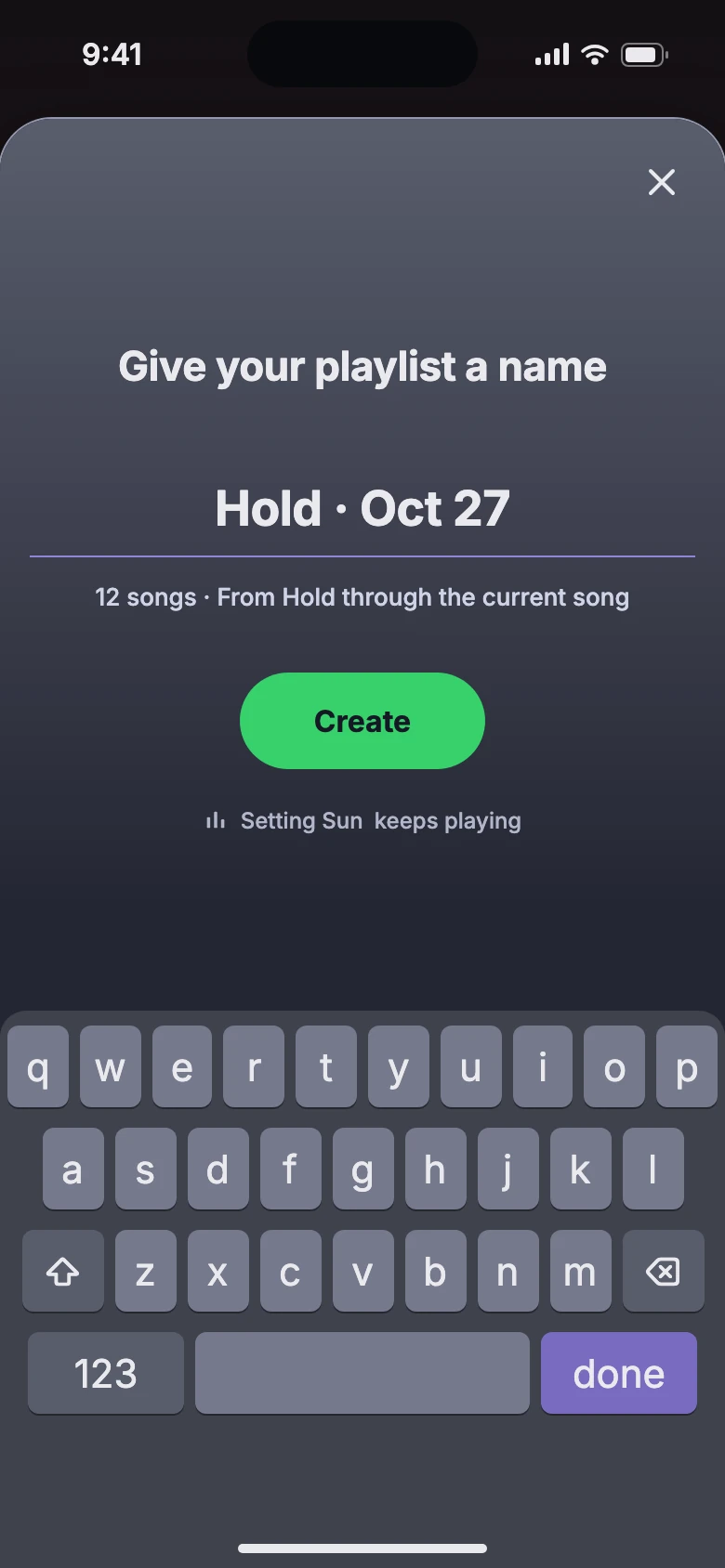
3 · Rename (optional)
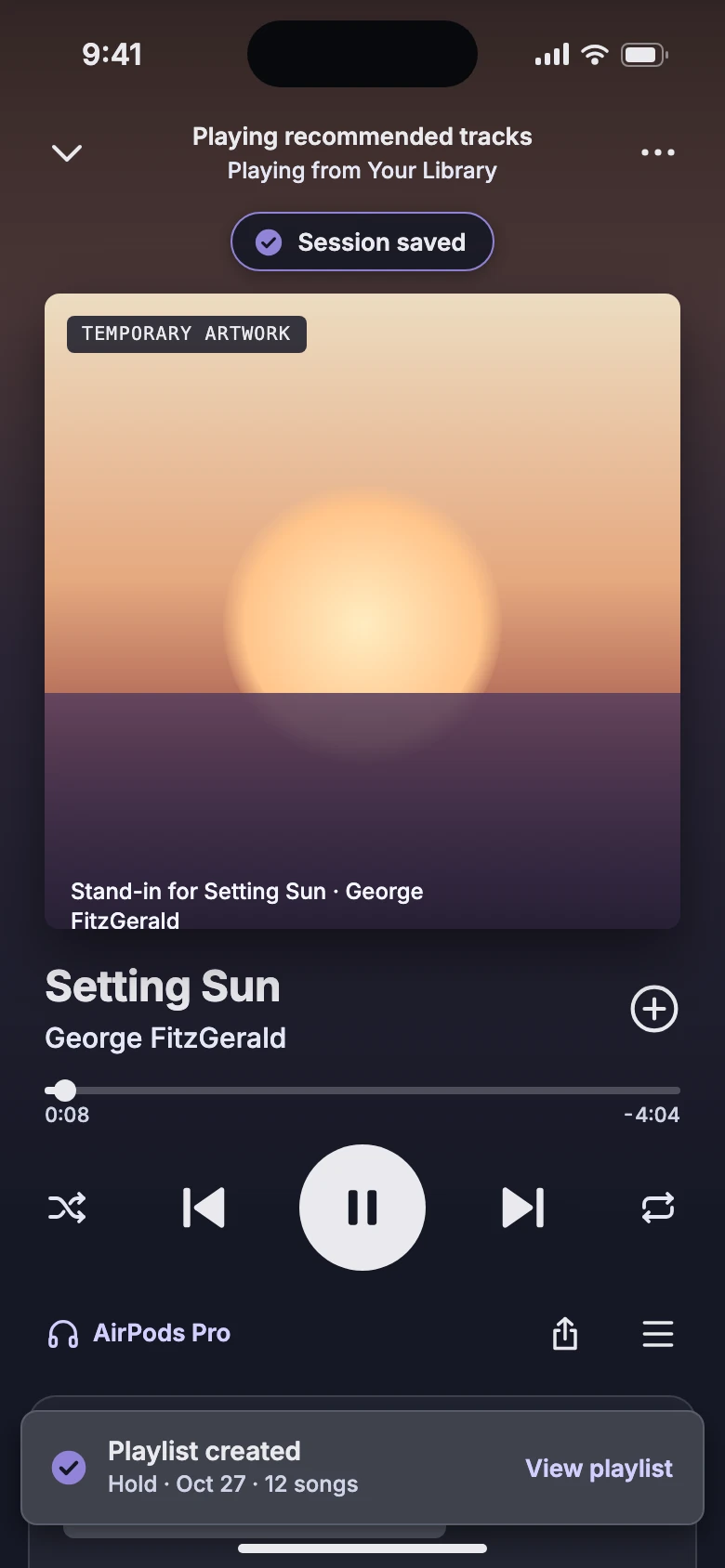
4 · Confirmation
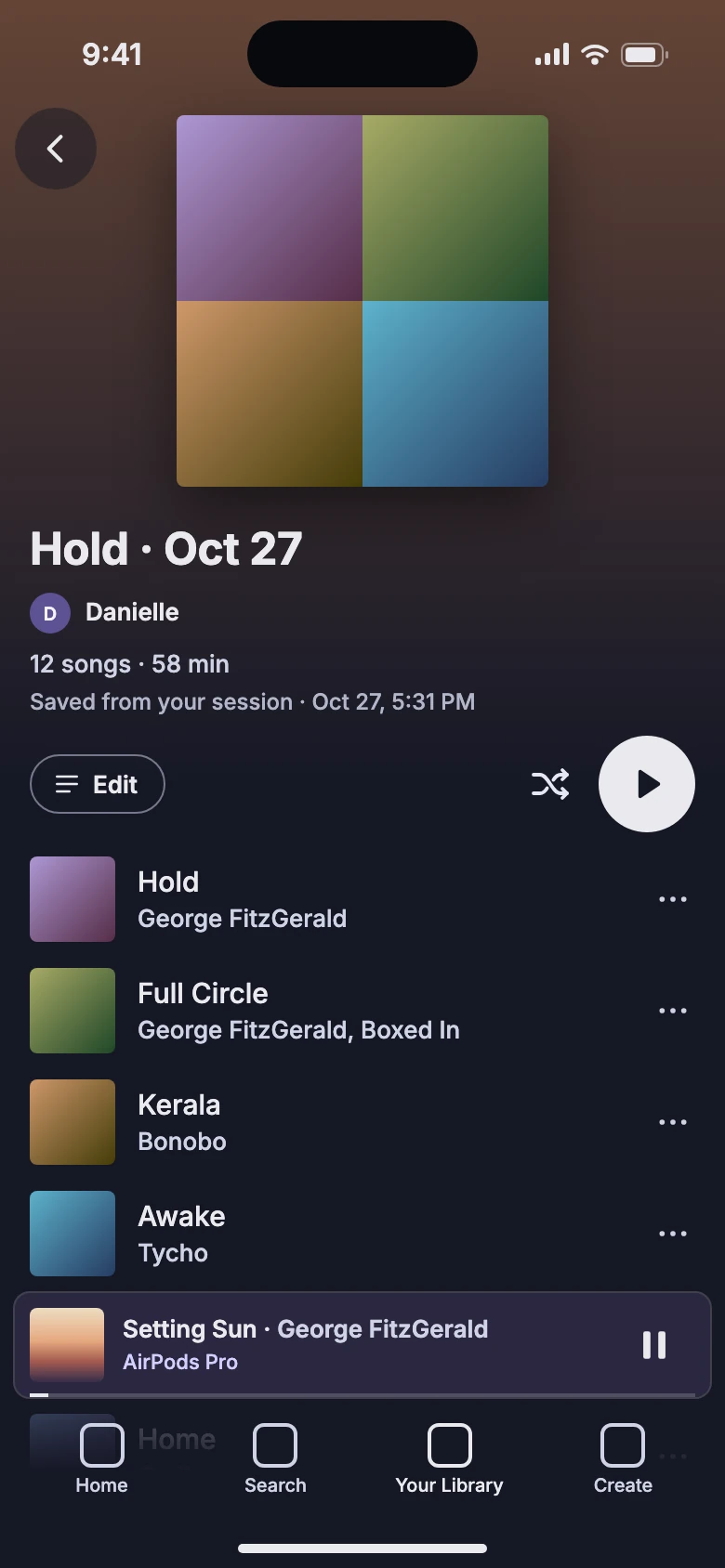
5 · Playlist
04Decisions
Where the action lives
The action sits by the recommended-tracks header rather than the lower utility row, next to the context it describes and clear of the song-level controls.
Of four icon and header variations, 2d was chosen: the playlist icon describes the result, and the existing header means less new copy. Whether the label "Save session" works alone is the first thing to test.
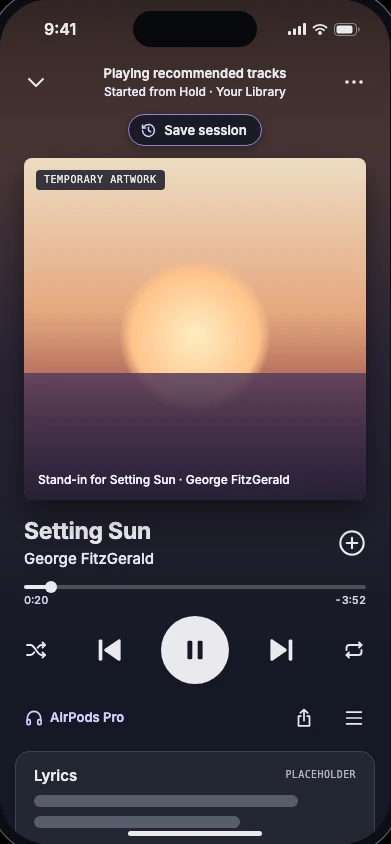
2a · History icon · proposed header
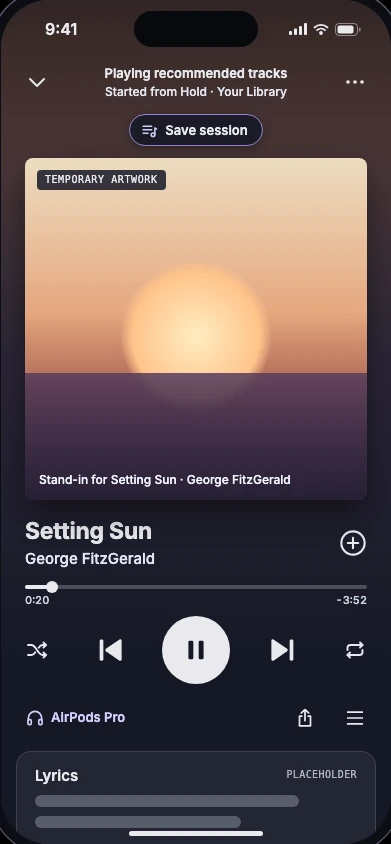
2b · Playlist icon · proposed header
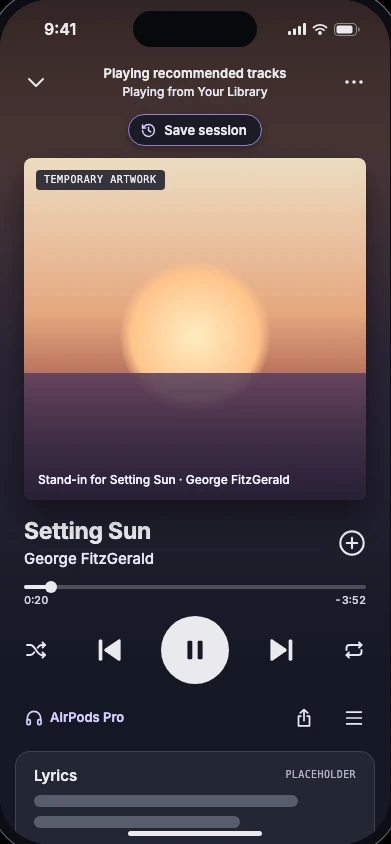
2c · History icon · reference header
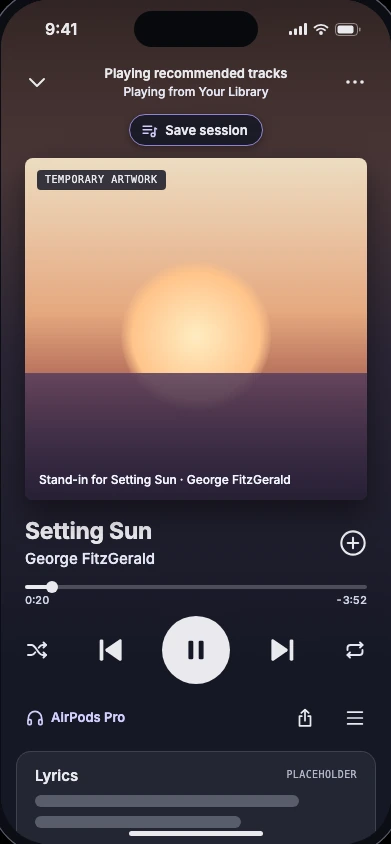
2d · Playlist icon · reference header · Chosen
05Decisions
Five fixes from review
The prototype was checked against the requirements and against touch, contrast and state coverage. For example, after saving, the button now reads Session saved, so a second identical playlist isn't created by accident.
Show the five fixes +Hide the five fixes −
- Duplicate saves. After creating, the button still said Save session, inviting a second identical playlist. It now reads Session saved with a check and opens the playlist. Once a new song starts it returns to Save session for a fresh snapshot.
- Toast covering controls. The confirmation sat over the device, share and queue buttons. It now sits lower, over the Lyrics preview.
- Disabled Create looked active. With an empty name, Create was disabled but still full green. It now dims to 45%.
- Nested controls. The mini player's play button was nested inside another button, which screen readers and keyboards handle poorly. They are now two separate buttons.
- Copy spacing. A stray double space in "Setting Sun keeps playing" was removed.
Confirmed: every tappable element is at least 44px; secondary text uses neutral steps 300–400 on the dark ground (above 4.5:1); playback continues through every state; the playlist matches the snapshot even after skipping ahead.
06Supporting detail
Research and requirements
What the concept was built from, and the seven requirements it had to meet.
Show research and requirements +Hide research and requirements −
Research inputs
- 11 reference screens of the current app: Now Playing, single-song save, song menu, recommendations queue, playlist naming, Library and playlist detail.
- A screen recording of the current experience: Hold followed by the recommended Setting Sun, the queue, and the single-song save flow.
- An early concept mockup, reviewed for header overlap with the Dynamic Island, song and artwork mismatch, and icon meaning.
Feature requests and community posts were treated as exploratory signals, not proof of how common the need is. No usability testing has been run yet.
Requirements
- R1 A visible, labeled Save session action on Now Playing during recommended tracks, distinct from the single-song save.
- R2 Capture the starting song, every song played since, and the current song, in listening order. Exclude upcoming songs.
- R3 Take a snapshot at the tap. Later songs do not join the playlist automatically.
- R4 Save all captured songs by default; editing happens later in the normal playlist.
- R5 Default editable name: starting song · capture date, for example "Hold · Oct 27".
- R6 Playback never stops or restarts at any step.
- R7 Preserve playback controls, safe areas, readable contrast and 44px touch targets.
07What's next
Open questions and next steps
Next: test whether "Save session" is understood on its own, then design the full editing flow (remove, reorder, rename, share), tune the 9-second confirmation, and check on device with real data.
Still open: where a session begins without a starting song, how skips and repeats count, what happens across devices, whether saved playlists are private by default, and whether play history is available at this granularity.
Prototype uses simulated playback and sample data. Artwork is a labeled stand-in. Interface styling uses the Nocturne design system; the green Create button is a stand-in, not a brand value. Spotify is a trademark of Spotify AB.